
Skusonaut Industrial HMI Panel Concept
A human-centered interface system for small-to-mid-sized industrial automation
Project overview
The Skusonaut HMI concept was developed to address a growing usability gap in industrial automation: smaller manufacturing environments often rely on interfaces that are either overly complex enterprise systems or low-cost panels with poor interaction design. The design goal was to create a scalable industrial control interface that balances operational clarity, physical tactility, and cognitive simplicity for operators working in fast-moving production environments.
Operator goals
The interface was designed around four primary operator needs:
1. Rapid system understanding
Operators must determine machine state within seconds while multitasking across production environments. The interface prioritizes persistent visibility, clear hierarchy, and minimal navigation depth.
2. Fast task execution
Operators need to acknowledge alarms, adjust settings, and navigate dense information quickly. Dedicated physical controls and the rotary selector reduce interaction latency compared to touch-only systems.
3. Low training burden
Many manufacturing environments experience high turnover and limited onboarding. The interaction model was intentionally standardized so operators can build procedural memory quickly across machines and workflows.
4. High confidence under stress
Operators need confidence that:
Commands were registered
Alarms are accurate
System state is trustworthy
Emergency actions function immediately
This led to an emphasis on deterministic interaction patterns and tactile confirmation.
System context
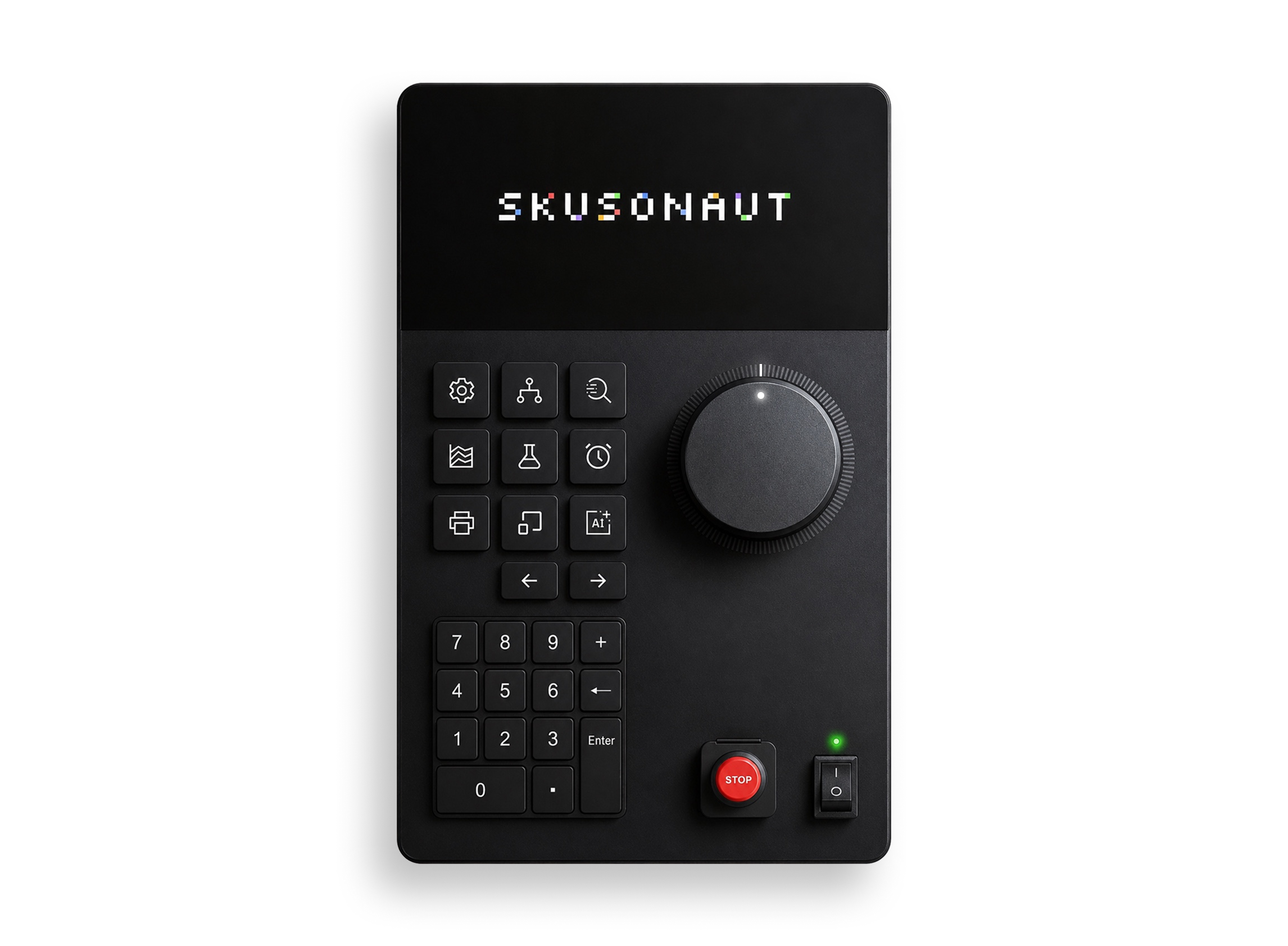
The Skusonaut panel combines:
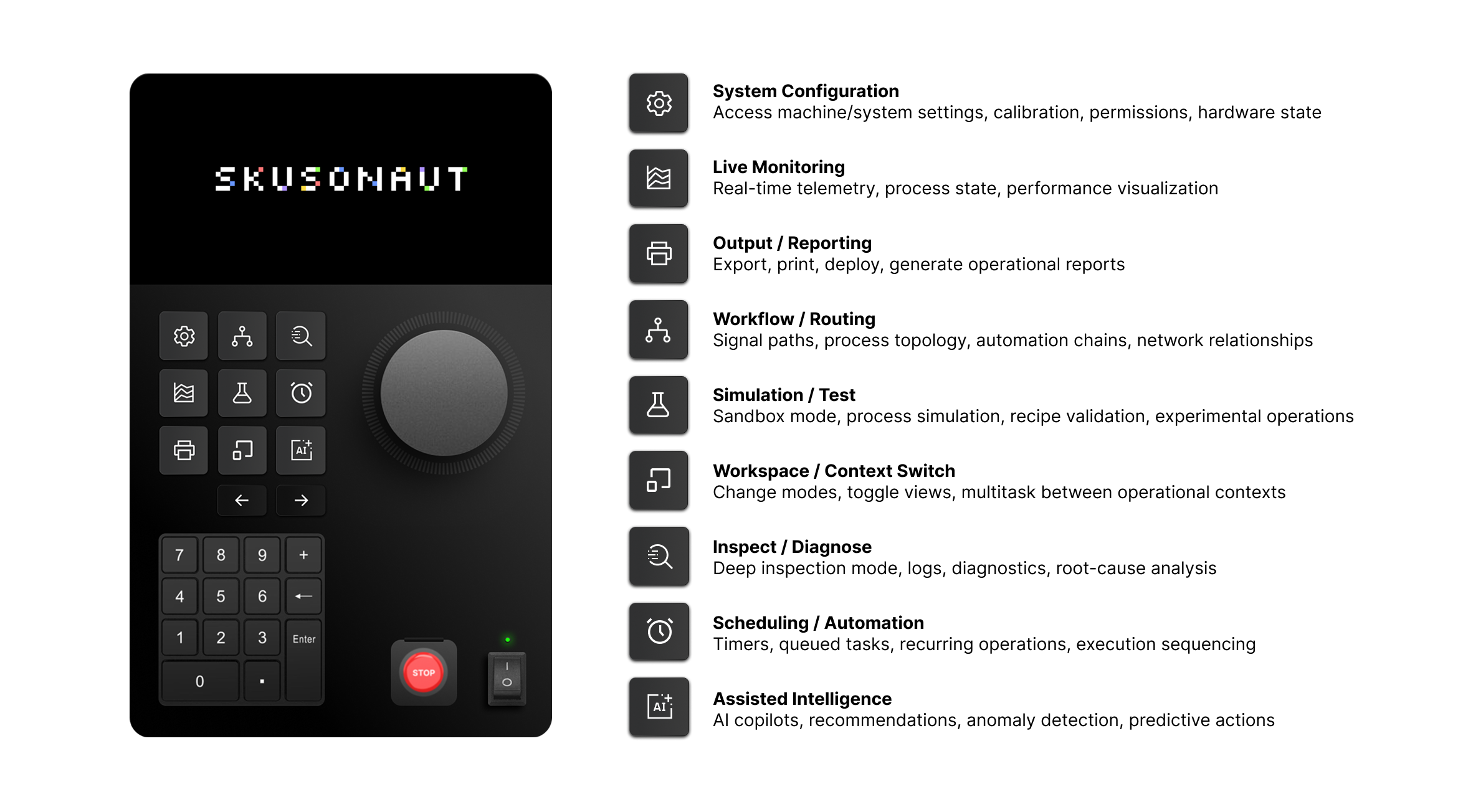
Physical programmable navigation keys
A touchscreen visualization layer
A rotary selection wheel
Numeric keypad input
Emergency stop and power controls
Modular software architecture for scalable machine environments
The system is intended primarily for industrial operators who need rapid state awareness and low-friction interaction while managing machinery, diagnostics, and production workflows.
Human factors analysis
Cognitive constraints
Industrial operators frequently work under high cognitive load. The interface was designed to reduce mental overhead in several ways.
1. Divided attention
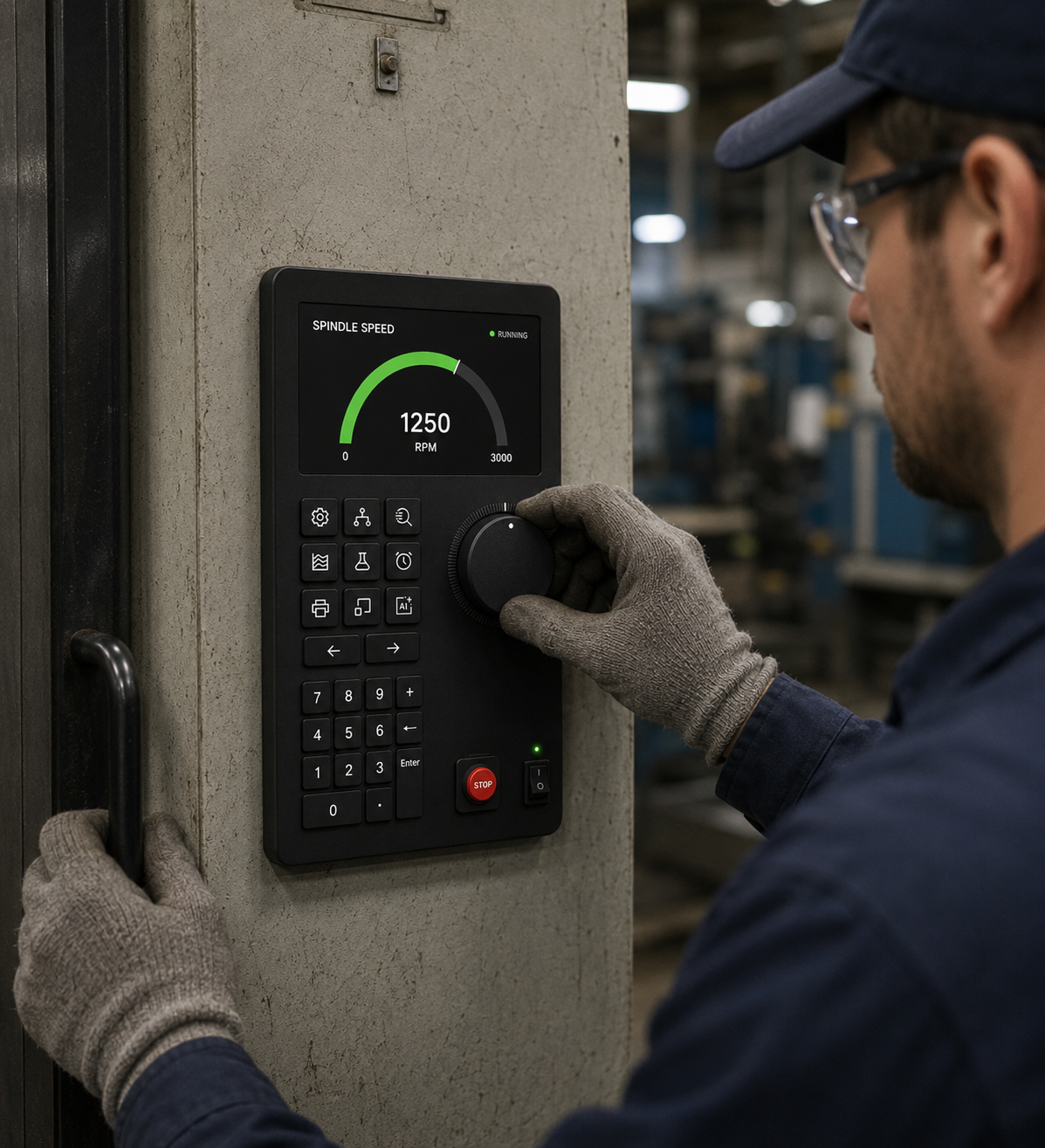
Operators often monitor machinery, communicate with coworkers, and manage production simultaneously. Physical controls reduce the need for prolonged visual focus and support “eyes-up” interaction once muscle memory develops.
2. Working memory limitations
Industrial systems often overwhelm operators with nested menus, alarms, and inconsistent workflows. The Skusonaut concept reduces memory load through consistent control placement, persistent navigation, and layered information architecture.
3. Mode confusion
Unclear operational modes are a major source of industrial error. Programmable LED-lit navigation keys help reinforce orientation and machine context.
4. Decision fatigue
The interface minimizes unnecessary confirmations and prioritizes recognition over recall to reduce continuous micro-decision fatigue during long shifts.
Environmental conditions
The panel was designed for harsh industrial environments where traditional consumer UI assumptions fail.
Lighting variability
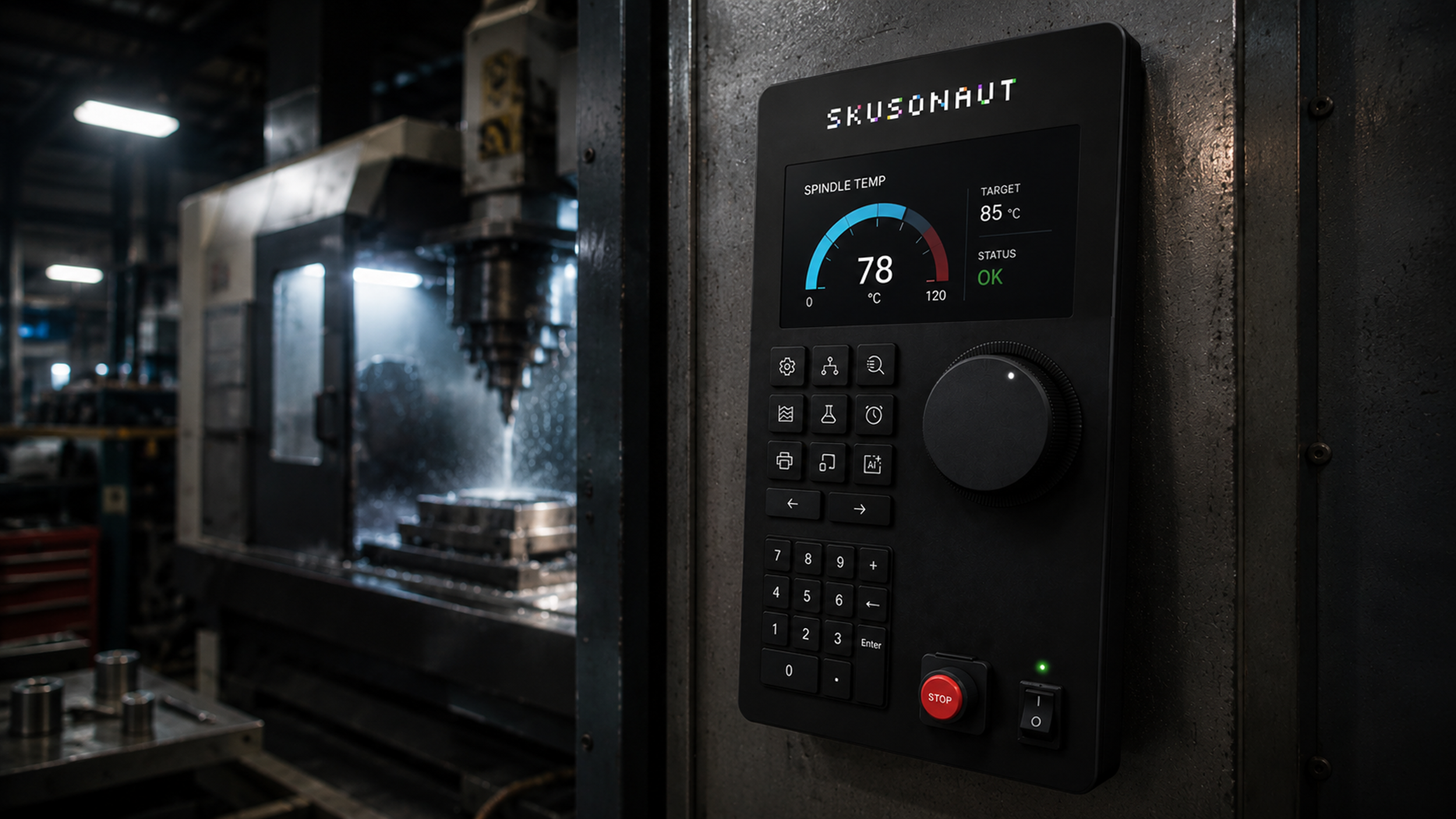
High-contrast visuals and illuminated controls improve readability across glare-heavy, low-light, and reflective environments.
Noise and communication constraints
Because factory environments often exceed safe conversational noise levels, the system emphasizes visual signaling and tactile interaction over audio-dependent feedback.
Gloves, dirt, and vibration
Large tactile controls and the rotary selector improve usability when operators are wearing gloves or working in vibration-heavy conditions.
Time pressure
The interface prioritizes fast recoverability and immediate access to critical functions during downtime-sensitive workflows.
Safety implications
The system treats the HMI as both a productivity tool and a safety-critical interface.
Emergency visibility
The emergency stop is physically isolated, visually differentiated, and persistently visible to reduce accidental activation while maintaining immediate access.
Error prevention
The design prioritizes preventing operator mistakes through spatial consistency, reduced menu nesting, and persistent system feedback rather than relying on recovery messaging after failure.
Reduced mis-selection risk
The rotary wheel enables deliberate, high-confidence interaction in dense data environments where touch-only controls may increase accidental input.
Fail-safe architecture
The broader system concept includes watchdog timers, redundant networking, and backup recovery systems to improve resilience during partial system failures.
Error states
The interface anticipates several categories of operator error.
Slip errors: Incorrect physical actions such as pressing the wrong control are mitigated through spacing, tactile differentiation, and physical zoning.
Mistake errors: Misunderstanding machine state is reduced through persistent visibility and clearer operational context.
Recovery errors: The system emphasizes reversible actions, immediate feedback, and clear rollback pathways to reduce escalation during troubleshooting.
Attention management
The interface uses layered attention management to reduce overload.
Primary attention: Critical alarms and machine health information remain persistent and highly visible.
Secondary attention: Workflow interactions and navigation are handled through dedicated physical clusters and touchscreen interaction.
Peripheral awareness: Subtle LED indicators provide ambient state awareness without demanding continuous visual focus.
Physical ergonomics
The hardware combines touch, physical keys, rotary input, and numeric entry to support multiple interaction styles depending on context. Frequently used controls are spatially grouped to reduce unnecessary reach and movement. Physical inputs provide tactile confirmation that improves confidence in noisy or visually demanding environments.
Alarm fatigue
Alarm overload is a major issue in industrial systems. The concept reduces alarm fatigue through:
Prioritized alert hierarchy
Progressive disclosure of information
Consistent alarm placement
Multi-modal feedback using visual and tactile reinforcement
System trust
Industrial operators quickly lose confidence in systems that behave inconsistently. The Skusonaut concept reinforces trust through:
Predictable interaction patterns
Immediate system feedback
Persistent state visibility
Transparent recovery behavior
Reliability signaling through redundant architecture and fail-safe systems
Outcome
The Skusonaut concept moves beyond software-centric industrial interfaces toward a more balanced cyber-physical interaction model.
Rather than maximizing feature density, the design prioritizes:
Cognitive simplicity
Spatial memory
Deterministic behavior
Reduced interaction friction
Operator confidence under stress