
Fleet & Equipment Operations Platform
This project explored the design of a fleet and equipment operations platform used to coordinate crews, assign mowing equipment, monitor battery readiness, and manage garage inventory across daily field operations.
The goal was to reduce administrative friction and cognitive load in environments where operators must make rapid assignment decisions while maintaining awareness of equipment readiness, availability, and operational exceptions.
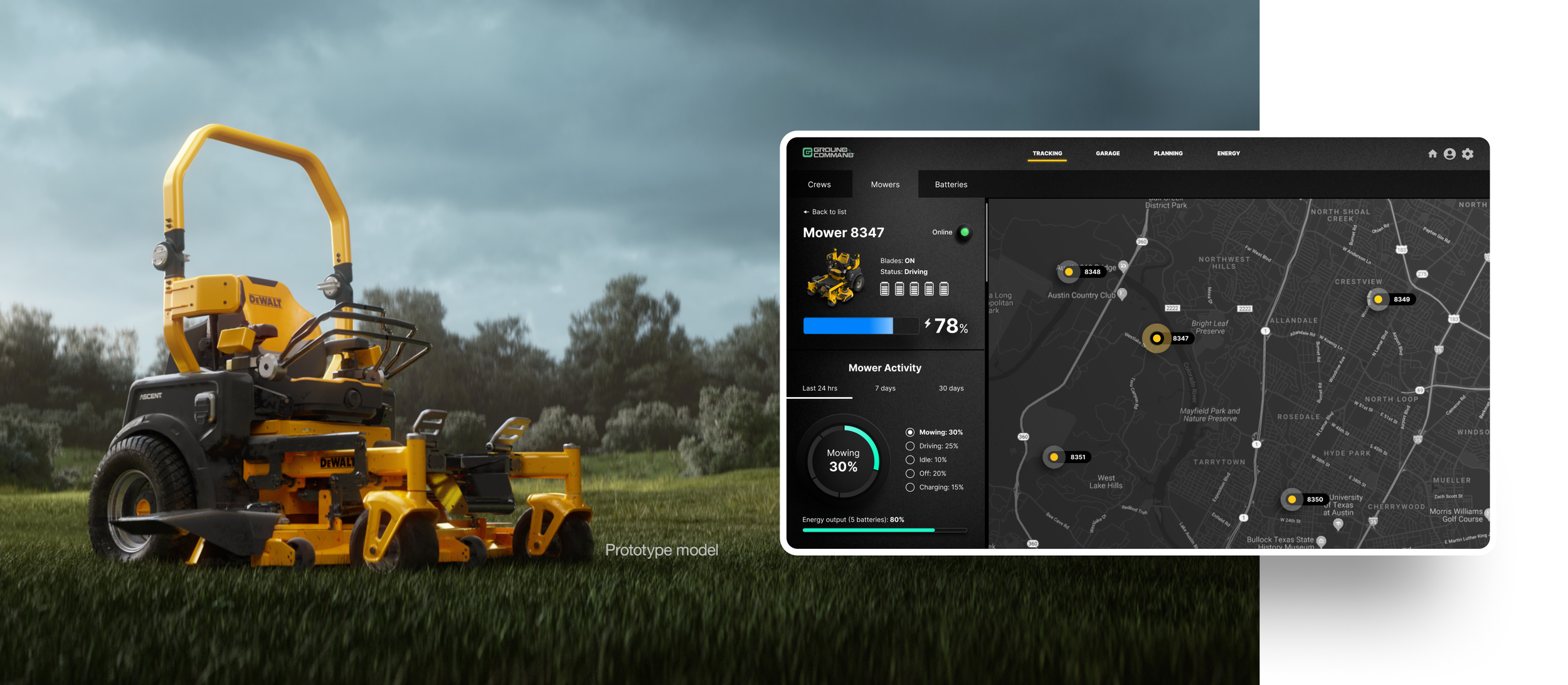
Operational Context
The platform supports:
crew assignment
mower allocation
battery readiness tracking
garage inventory management
operational status monitoring
Operators work in fast-paced environments where equipment availability changes continuously and operational delays can impact field productivity. The interface needed to support rapid scanning, low-effort verification, and confident decision-making under time pressure.
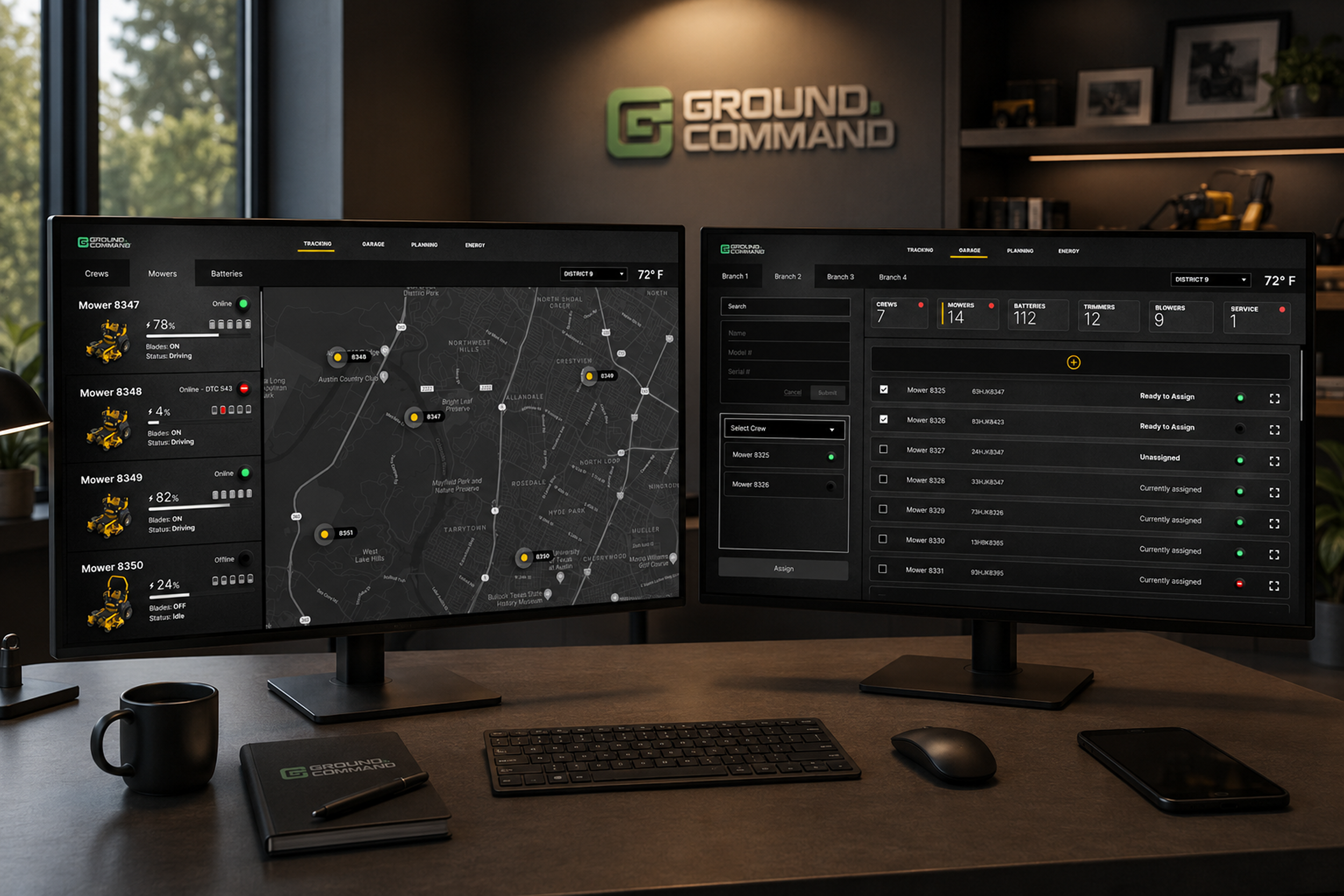
Fleet Manager Goals
Fleet managers needed to:
assign equipment quickly
verify operational readiness
identify unavailable or low-status equipment
monitor battery inventory
detect assignment conflicts
minimize dispatch delays
maintain awareness across multiple operational categories
The system was designed around recognition-based workflows rather than memory-heavy interactions.
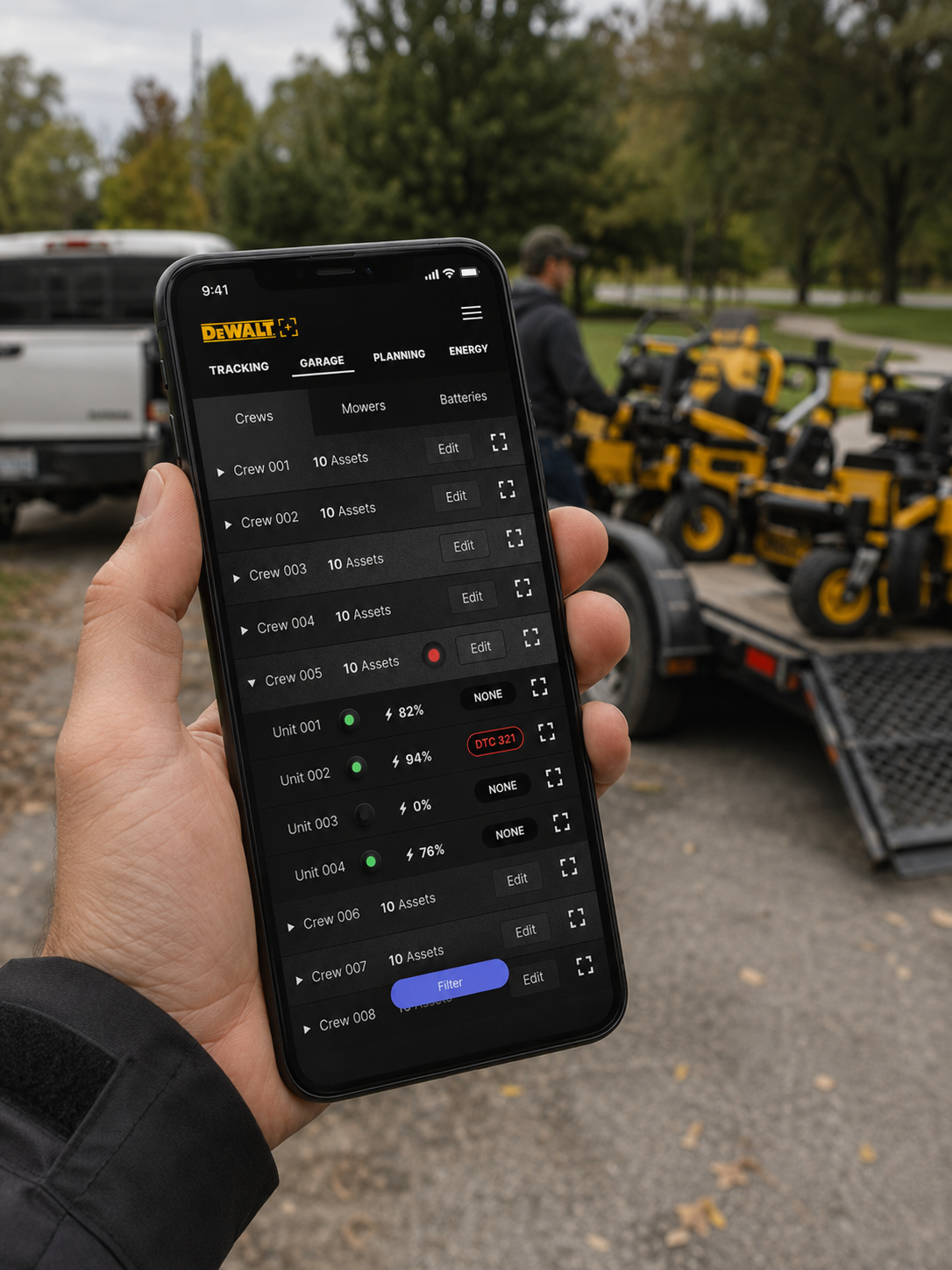
Human factors analysis
Cognitive Constraints
The redesign addressed several cognitive challenges common in operational environments.
Attention fragmentation
Operators frequently switch between dispatch coordination, equipment verification, communication, and issue resolution. The interface therefore emphasized stable layouts, persistent navigation, and predictable interaction patterns to reduce mental context switching.
Working memory limitations
Remembering crew assignments, battery states, equipment availability, and operational exceptions across multiple systems increases cognitive load. To reduce memory dependency, the platform surfaces persistent status visibility, inline operational states, and contextual assignment information throughout the workflow.
Scan-based behavior
Operators rarely read interfaces sequentially. The system was optimized for rapid visual scanning, pattern recognition, and fast exception detection through consistent layouts, restrained color usage, and structured table hierarchy.
Information Hierarchy
The interface was intentionally structured into layered levels of operational awareness.
Global awareness
Summary cards surface high-level operational metrics including crew counts, readiness states, and inventory visibility, allowing operators to establish system-wide context immediately.
Active workspace
The primary workspace prioritizes assignment tables, inventory lists, operational states, and task management tools to support fast execution workflows.
Row-level detail
Detailed inline information provides assignment status, battery state, availability indicators, and operational exceptions without forcing users into secondary screens.
Environmental Conditions
The system was designed for garages, operations offices, maintenance spaces, and industrial work environments where users experience:
extended-duration usage
variable lighting conditions
operator fatigue
frequent interruptions
high-density monitoring tasks
The dark visual theme reduces glare while supporting long-session readability. Restrained accent colors preserve signal importance and reduce visual saturation.
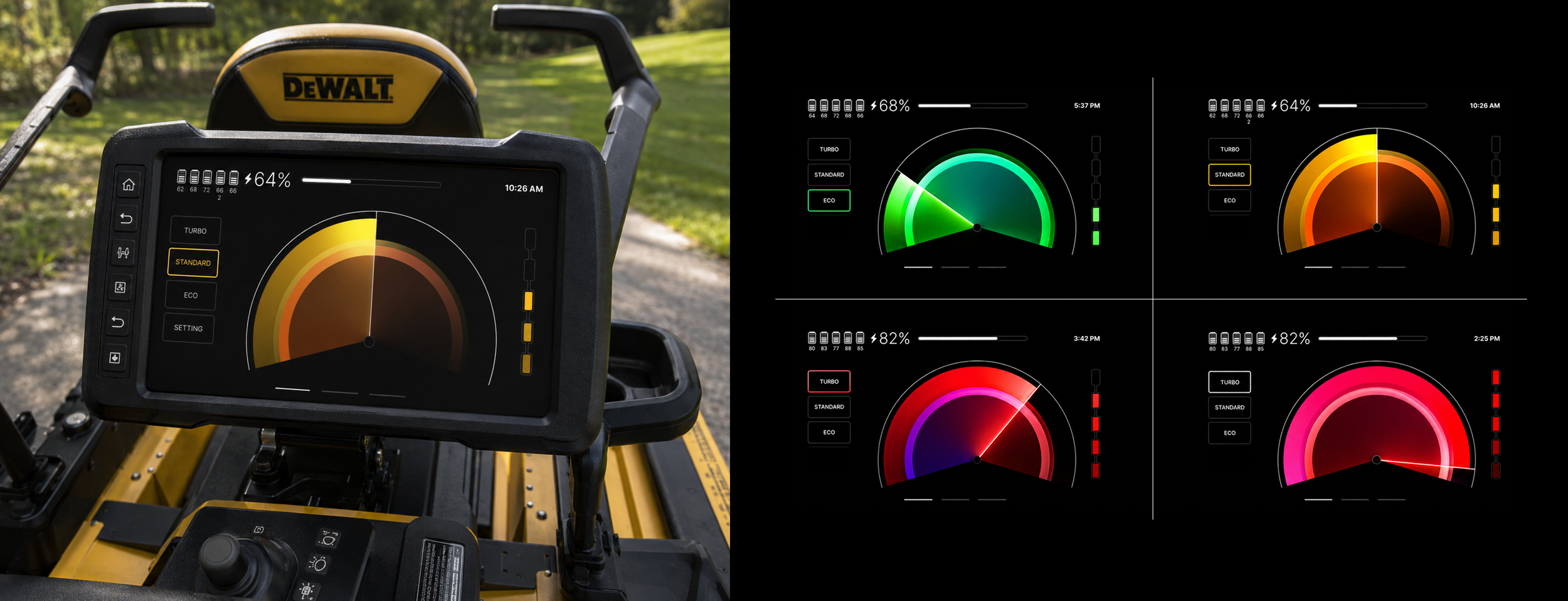
Attention Management
A major design objective was preserving operator attention.
The interface intentionally avoids excessive animation, decorative noise, and competing focal points. Attention is directed through restrained signal colors, structured hierarchy, grouped operational zones, and consistent alignment systems.
Critical operational states emerge visually without overwhelming the workspace.
Error Prevention
Several design decisions focused on reducing operational mistakes.
Equipment readiness and availability remain visible during assignment workflows to reduce:
unavailable equipment assignment
conflicting crew allocation
low-battery deployment
Stable navigation and repeated layout patterns improve spatial memory and reduce interaction uncertainty. Inline operational visibility also allows operators to quickly identify and correct issues without losing workflow context.
Safety Implications
Although the platform does not directly control machinery, operational errors can still create downstream safety risks.
Examples include:
dispatching undercharged equipment
assigning unavailable machinery
creating field delays that pressure crews to rush tasks
Improving visibility and operational clarity helps reduce avoidable field-level friction that can indirectly impact safety and operational reliability.
Alarm & Notification Strategy
The platform intentionally avoids aggressive alerting patterns common in enterprise dashboards.
Instead, the system emphasizes passive awareness, contextual exception surfacing, and low-noise operational monitoring to reduce alert fatigue and prevent operator desensitization.
The interface prioritizes calm operational awareness over constant interruption.
Physical Ergonomics
The platform was optimized for prolonged desktop use through:
large interaction zones
stable pointer targets
predictable cursor travel
minimized modal dependency
Spacing and alignment support rapid mouse navigation, repeated operational actions, and reduced physical interaction fatigue.
System Trust
A core objective was increasing operator trust in system state.
Trust was reinforced through:
consistent visual behavior
persistent status visibility
predictable interactions
restrained alerting
operational transparency
The platform was designed to feel operationally dependable rather than visually decorative, supporting confidence in real-world coordination workflows.