
FANUC teach pendant UI redesign
Human factors and industrial HMI modernization case study
Project overview
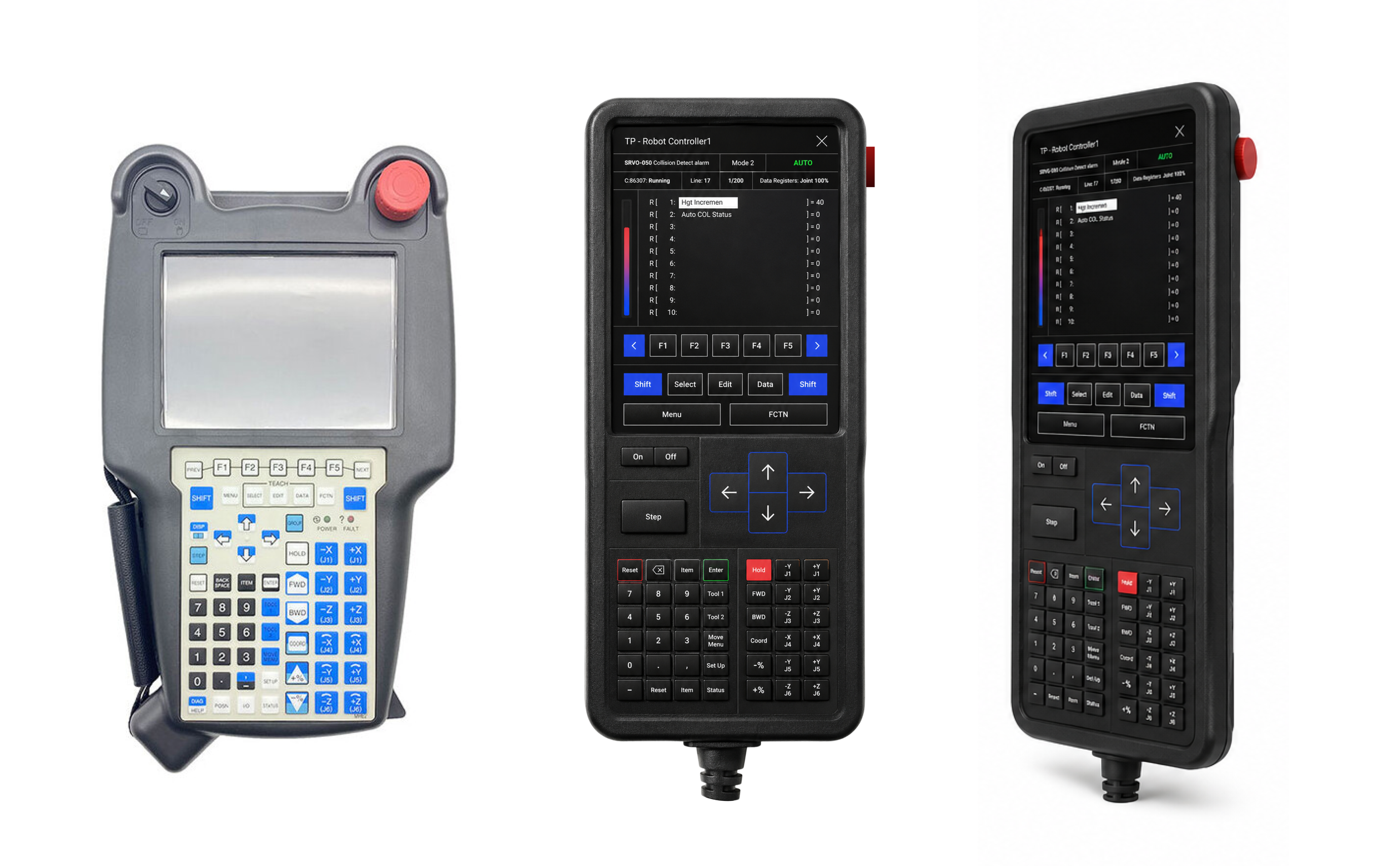
This project reimagines the legacy FANUC teach pendant interface through a modern human factors and industrial UX lens while preserving the deterministic interaction patterns operators depend on in safety-critical robotic environments.
The goal was not to “consumerize” the interface, but to improve operational clarity, reduce cognitive load, and strengthen operator confidence in high-pressure industrial settings.
The redesign focuses on:
Visual hierarchy
State awareness
Alarm clarity
Gloved usability
Reduced operator fatigue
Faster interaction under stress
Improved system trust
The problem
Traditional industrial robot controllers are extremely powerful, but many legacy interfaces were designed around technical constraints rather than operator cognition.
Common usability issues included:
Dense visual layouts
Small typography
Poor hierarchy
High cognitive load
Mode ambiguity
Excessive visual noise
Difficult operation while wearing PPE
Alarm overload
Long visual scan paths
Operators often rely heavily on memory and procedural familiarity rather than immediate system comprehension.
This increases:
Training burden
Error probability
Operator fatigue
Recovery time during faults
Design goal
The redesign centered around several core human factors objectives:
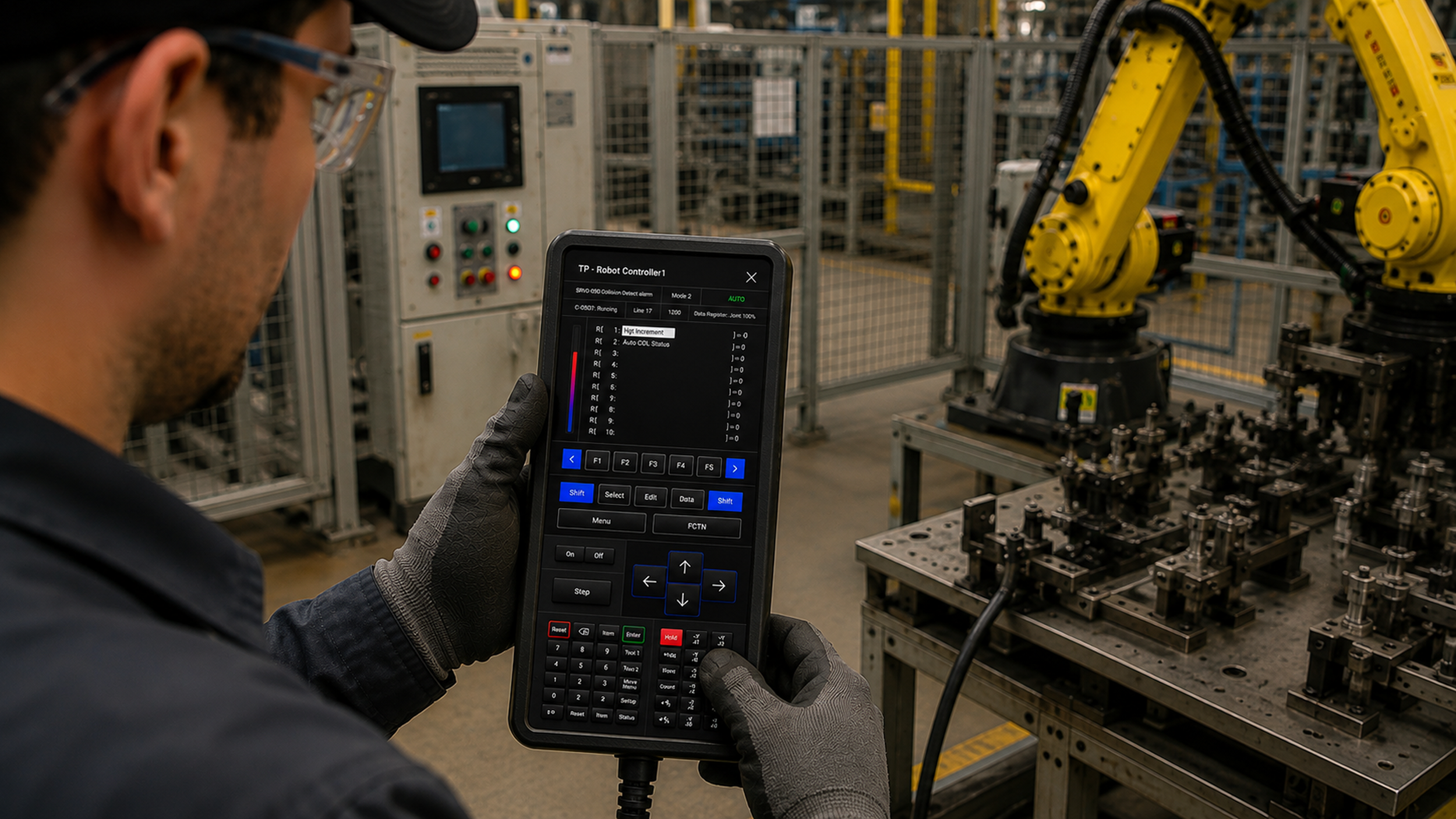
Improve situational awareness by allowing operators to understand system state at a glance.
Reduce cognitive load by decreasing memory burden and mental translation required during operation.
Improve error prevention by reducing accidental activation and mode confusion.
Support real industrial environments
Design for:
Gloves
Noise
Standing posture
Bright factory lighting
Time pressure
Multi-tasking
Human factors analysis
Operator goals
Industrial robot operators need to:
Monitor machine state quickly
Execute teach and jog operations safely
Recover from faults rapidly
Navigate menus efficiently
Maintain confidence during robot motion
Operate reliably under production pressure
The redesign prioritizes:
Fast information parsing
Immediate mode visibility
Reduced interaction ambiguity
Efficient motion control access
Cognitive constraints
Original system challenges
The legacy interface required operators to continuously remember:
Current robot mode
Active axis mappings
Soft-key functions
Program location
Alarm context
Register states
This created:
High working-memory demand
Increased cognitive fatigue
Greater likelihood of mode errors
Design response
The redesign introduces:
Strong visual hierarchy
Persistent system-state visibility
Functional grouping of controls
Clear color-coded interaction zones
Reduced visual clutter
Information is chunked into recognizable operational regions:
Navigation
Motion
Programming
Numeric input
System state
This reduces mental translation and improves scan efficiency.
Environmental conditions
Teach pendants are used in environments with:
Loud machinery
Harsh overhead lighting
Vibrations
Dust and oil exposure
PPE/glove usage
Operator fatigue
Constant attentional competition
Design response
The redesign uses:
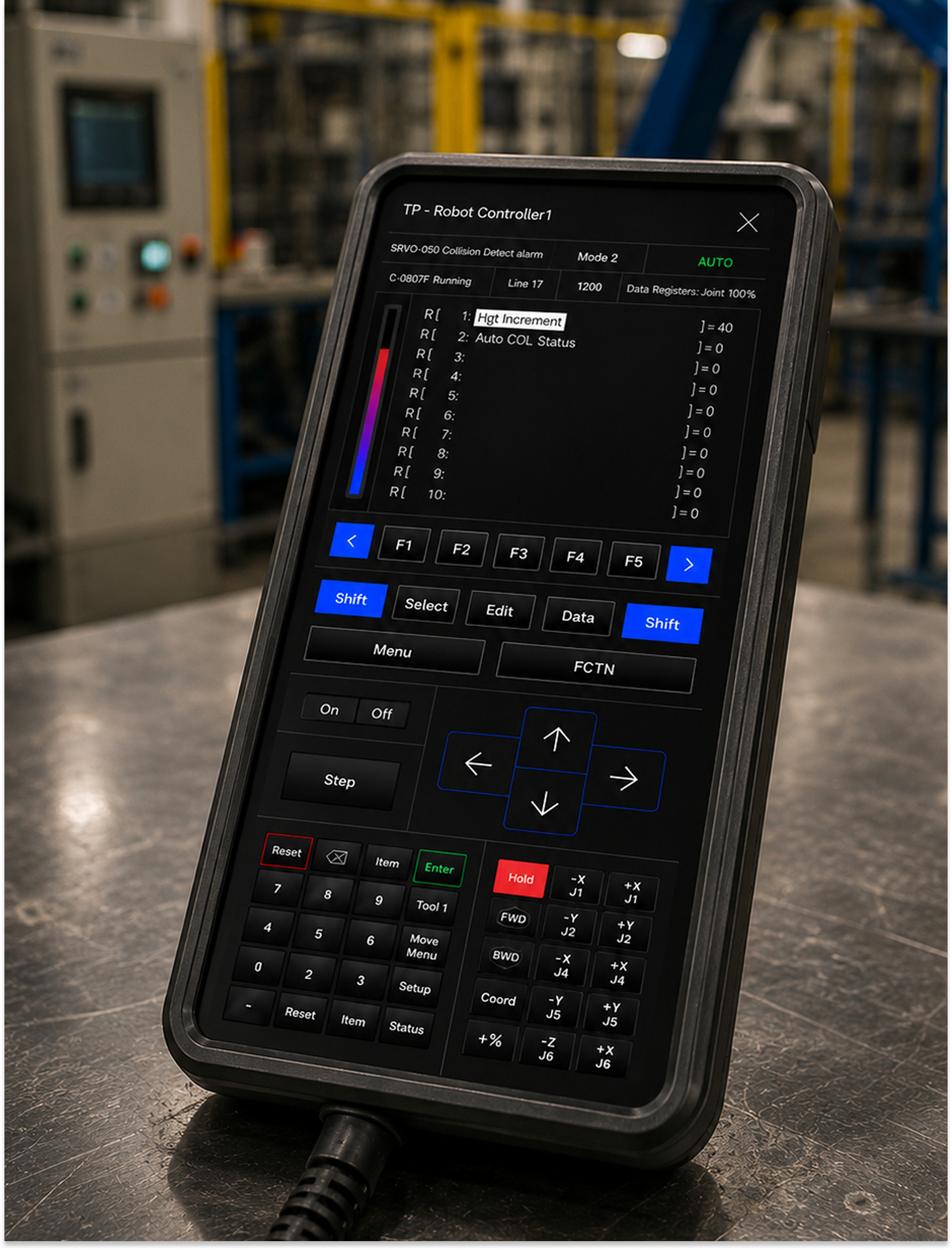
High-contrast dark UI surfaces
Larger interaction targets
Simplified visual hierarchy
Strong spacing between critical controls
Reduced screen noise
The interface was designed to remain legible and operable under real industrial conditions rather than ideal office environments.
Safety implications
Robot controllers are safety-critical systems.
Poor interface design can contribute to:
Incorrect robot motion
Dangerous mode transitions
Delayed fault response
Accidental activation
Misinterpreted system states
Safety-focused improvements
The redesign emphasizes:
Persistent mode awareness
Isolation of critical controls
Improved alarm visibility
Reduced accidental input risk
Faster identification of unsafe conditions
Motion controls are intentionally separated from navigation and editing functions to reduce operational confusion.
Error state management
Legacy industrial HMIs often communicate faults poorly, forcing operators to infer machine state indirectly.
Original risks
Hidden system states
Ambiguous alarms
Weak visual prioritization
Unclear acknowledgment flow
Redesign improvements
The redesign creates:
Explicit system-state visibility
Hierarchical alarm presentation
Persistent operational feedback
Reduced ambiguity during recovery workflows
Critical information remains visible rather than disappearing after interaction.
Attention management
Factory operators divide attention between:
Robot motion
Nearby personnel
Production activity
Audible machine cues
Pendant interaction
The original interface treated nearly all information equally, increasing visual competition.
Design response
The redesign introduces:
Strong visual prioritization
Peripheral alarm visibility
Reduced eye travel
Grouped interaction zones
Faster pre-attentive recognition
The illuminated vertical status bar supports rapid peripheral awareness without requiring direct fixation.
Physical ergonomics
Teach pendants are often operated:
One-handed
While standing
During movement
While wearing gloves
Under fatigue
Ergonomic improvements
The redesign features:
Larger buttons
Improved spacing
Reduced precision requirements
Centralized high-frequency controls
Clear thumb-access zones
Interaction targets were intentionally oversized to improve confidence during gloved operation.
Alarm fatigue
Industrial environments frequently overwhelm operators with excessive alarms. When alarms become constant or visually repetitive, operators begin ignoring them.
Alarm strategy
The redesign focuses on:
Alarm hierarchy
Reduced competing signals
Clear severity differentiation
Faster recognition of actionable states
Only the most important information receives dominant visual emphasis.
System trust
Industrial operators build trust through:
Predictability
Consistency
Immediate feedback
Stable layouts
Reliable state visibility
Trust-focused design decisions
The redesign preserves:
Deterministic interaction patterns
Fixed spatial memory
Industrial visual language
Mechanical visual identity
The interface intentionally avoids feeling like a consumer tablet UI.
Instead, it communicates:
Stability
Reliability
Operational seriousness
Visual design principles
The visual system was inspired by:
Industrial HMIs
Aerospace control systems
Mission-critical instrumentation
Cyber-physical operational interfaces
Key principles included:
Minimal visual noise
Strong contrast
Functional color usage
Clear operational zoning
High-density information without clutter